How do I resume a course in the mobile app?
This will explain how to resume a course you've already started on the mobile app.
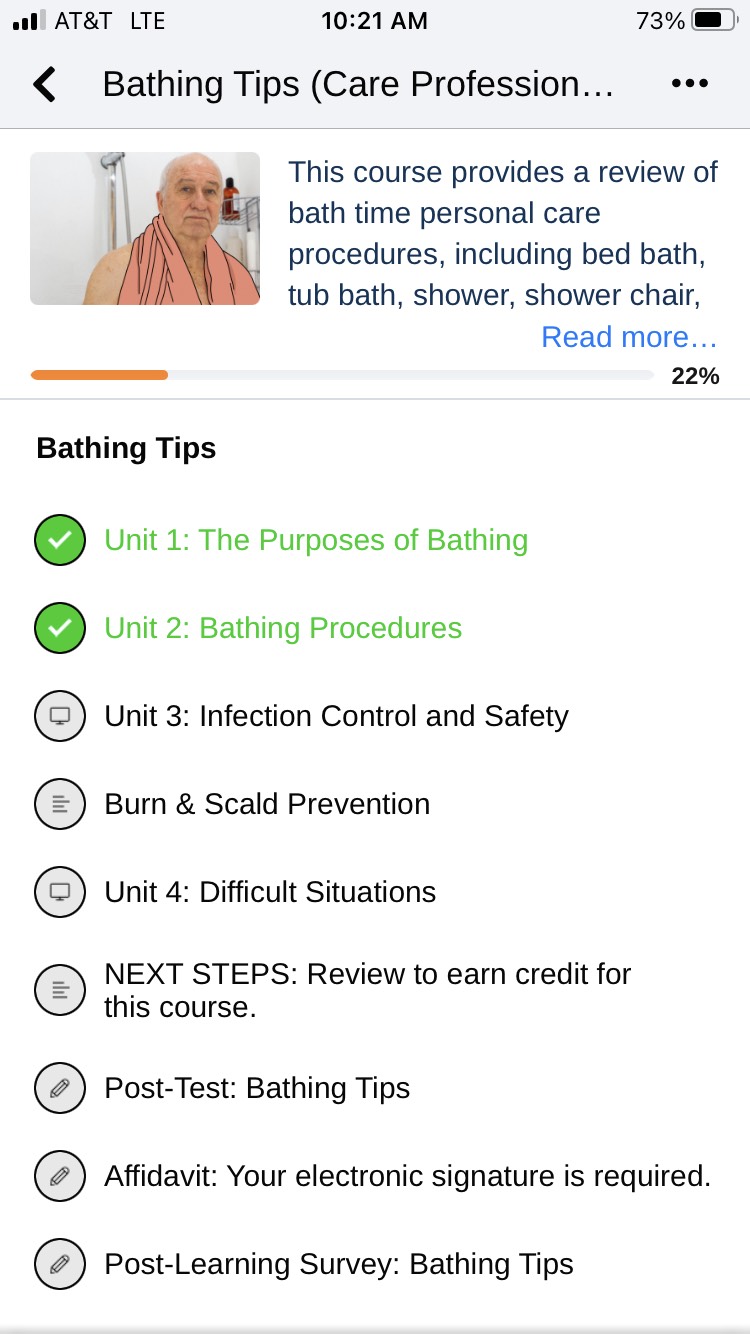
When you have a course open, you'll be able to see your course progress as indicated by the icons next to the names of each unit. We recommend completing a full unit before taking a break and stepping away from your training. This will help ensure progress is saved successfully.
If there is a green check mark next to the name of the unit, it means that the unit is completed. Please select the next available unit that does not have a check mark to resume a partially completed course.